
v3.8.0 — Health Check & Keyboard Navigation
Your Divi 5 Layout
Command Center
A professional, free asset library to browse, manage, preview, import, and export your Divi 5 layouts and templates. Built for speed, designed for clarity.
3.8.0
Current Version
100% Free
Open Source
GPL-2.0
License
WP 6.7
Tested Up To
Features
Everything You Need to Manage Divi 5 Layouts
From live previews to bulk operations, every feature is designed to save you time and keep your layout library organized at scale.
Live Iframe Previews
Hover over any layout card to see a live top-of-fold rendering in a scaled iframe. Know exactly what you're importing before you commit.
Dark Mode Dashboard
A sleek interface with automatic dark mode support. Adapts to your system preference or manual toggle for comfortable browsing.
Drag & Drop Importer
Import Divi JSON files directly. Full deep-data support preserves categories, tags, types, and all Divi metadata during import.
Layout Health Check
Scan your library for empty content, missing categories, oversized layouts, and orphaned items. Get a visual health score and actionable insights.
New in 3.8Keyboard Navigation
Arrow keys browse cards, Enter opens preview, Escape closes modals. Power-user workflows that keep your hands on the keyboard.
New in 3.8Bulk Rename
Add prefixes, suffixes, or find-and-replace across selected layouts in a single operation. Perfect for batch rebranding or standardizing names.
New in 3.8Responsive Masonry Grid
Choose between Auto, 1, 2, 3, 4, or 5 grid columns from the toolbar. CSS Grid ensures perfect reflow after filtering.
Performance Optimized
Batch SQL queries and transient caching with 1-hour TTL and automatic invalidation. Handles 1000+ layouts effortlessly.
PerformanceProgressive Image Loading
Optional low-quality preview mode with blur-up animation using IntersectionObserver. Fast page loads with hundreds of thumbnails.
New in 3.8JSON Power Inspector
Tree, Table, Chart, and Raw view modes for complete layout data analysis. Smart block expansion decodes Divi 5 block comments.
Design Extract
Extract colors, fonts, and module breakdowns from any layout with one click. Understand template design DNA without the Builder.
Layout Favorites
Star your most-used layouts with a dedicated sidebar section. Quick access to the templates you reach for most.
In Action
See How It Works
A closer look at the capabilities that set Divi 5 Template Manager apart.
Layout Health Check
Run a comprehensive scan to identify issues before they become problems. Get an instant visual summary and detailed breakdowns.
- Detects empty content layouts
- Finds layouts missing categories
- Flags oversized layouts (over 1MB)
- Identifies orphaned items without types
90%
47 layouts healthy
3 missing categories
2 oversized layouts
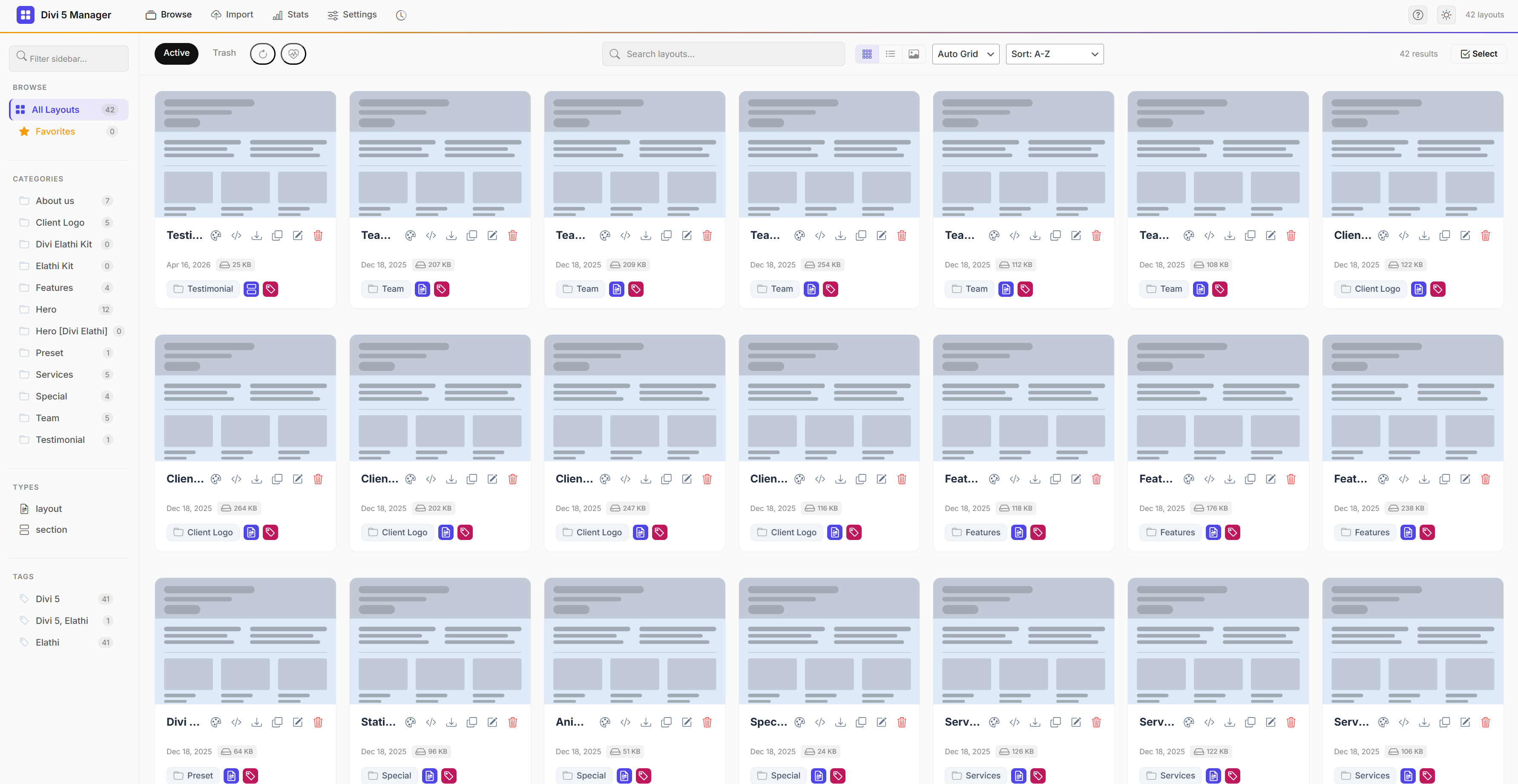
Modern Dashboard UI
A premium masonry interface with sidebar filtering, search highlighting, and view mode toggles. Grid, List, or Gallery.
Drag & Drop Import
Drop multiple Divi JSON files at once. The importer preserves internal categories, tags, and types. Nothing is lost in translation.
Drop .json files here
or click to browse
Changelog
What's New
A history of every feature, improvement, and fix. Full transparency, always.
Version 3.8.0
Latest
Major New Features
Layout Health Check — scans for empty content, missing categories, oversized layouts, and orphaned layouts with a health score ring
Keyboard Navigation — Arrow keys browse cards, Enter opens preview, Escape closes modals
Bulk Rename — prefix, suffix, or find-and-replace across selected layouts
Low-Quality Preview Mode — progressive blur-up image loading with IntersectionObserver
Performance
Eliminated N+1 sidebar queries — replaced with single batch SQL query
Added transient caching for sidebar counts and stats dashboard (1-hour TTL)
10 cache invalidation hooks for layout and taxonomy changes
Fixes
Fixed N+1 database queries on sidebar load causing severe performance degradation
Fixed no cache invalidation when layouts or terms were modified
Version 3.7.0
Major New Features
JSON Inspector Multi-View — Tree, Table, Chart, and Raw view modes
Design Extract — extracts colors, fonts, and module breakdown from any layout
Improvements
View Mode Toggle — Grid, List, and Gallery views from toolbar
Card grid uses CSS Grid instead of CSS columns, eliminating gaps after filtering
JSON Tree content limits increased — MAX_STRING_LEN to 50,000, MAX_DEPTH to 15
Fixes
Fixed Favorites/Star button not clickable due to thumb overlay z-index conflict
Fixed card grid gaps after filtering by category
Fixed JSON Tree view truncating post_content and large fields
Version 3.6.0
Major New Features
Layout Favorites — star your most-used layouts with a dedicated sidebar section
Layout Size Indicator on each card showing approximate content size
Improvements
Animated gradient accent line across the header
Card entry stagger animation for smoother page loads
JSON Tree View rewritten with proper brace-matching and HTML escaping
Fixes
Fixed XSS vulnerability in JSON tree view
Fixed Bulk Cancel button not working
Version 3.4.0
Major New Features
Unified JSON "Power-Inspector" Workspace
Smart Block Expansion — decoder for Divi 5 block comments
Improvements
Monokai-style JSON Tree visuals with data type icons
JSON Search & Filter with auto-expand on match
Tag collection icon on cards with hover-reveal
Version 3.2.5
Major New Features
Multi-Level JSON Tree View Inspector (Recursive)
Icon-based metadata system (Type icons + Tag icons)
Improvements
Sidebar "Filter by Layout Type" support
Fail-safe Taxonomy registration on init for better import stability
Fixes
Fixed JSON Raw View truncation on complex templates
Fixed Layout Type auto-detection logic during AJAX imports
Free Download
Ready to Take Control of Your Layout Library?
Divi 5 Template Manager is completely free and open source. Install it in under a minute and transform how you manage your Divi 5 layouts.